NVR vs DVR: Which Storage System Fits Your Site?
Choose an NVR when using IP cameras or needing network-based management. Choose a DVR when using analog cameras with coaxial cabling. The right choice depends on your camera type, existing infrastructure, and future expansion plans.
- Match the recorder type to your camera type. IP cameras require an NVR. Analog cameras require a DVR.
- NVRs store video on network-attached drives and support remote access. DVRs store video on local hard drives and rely on direct BNC connections.
- Plan for storage growth. Future camera additions and higher resolution recordings consume more disk space.
- Check network bandwidth. NVRs depend on stable LAN or WAN links for continuous recording.
- Consider maintenance. NVRs allow easier firmware updates and remote troubleshooting. DVRs often require on-site access.
Camera type determines the recorder choice
The first decision is simple. IP cameras need an NVR. Analog cameras need a DVR.
An IP camera sends compressed video over a network cable to a switch. An NVR receives this stream, decodes it, and writes it to a hard drive. The connection is digital. The data travels as packets.
An analog camera sends a continuous video signal over coaxial cable. A DVR reads this signal at its input, compresses it, and stores it on a local hard drive. The connection is electrical. The data is a constant voltage wave.
If your cameras are already installed, the recorder type is fixed by the camera interface. You cannot plug an IP camera into a DVR input. You cannot plug an analog camera into an NVR. The physical and protocol layers must match.
If you are designing a new system, choose the camera type first. Then select the recorder. This avoids costly retrofits.
Network dependence versus direct connection
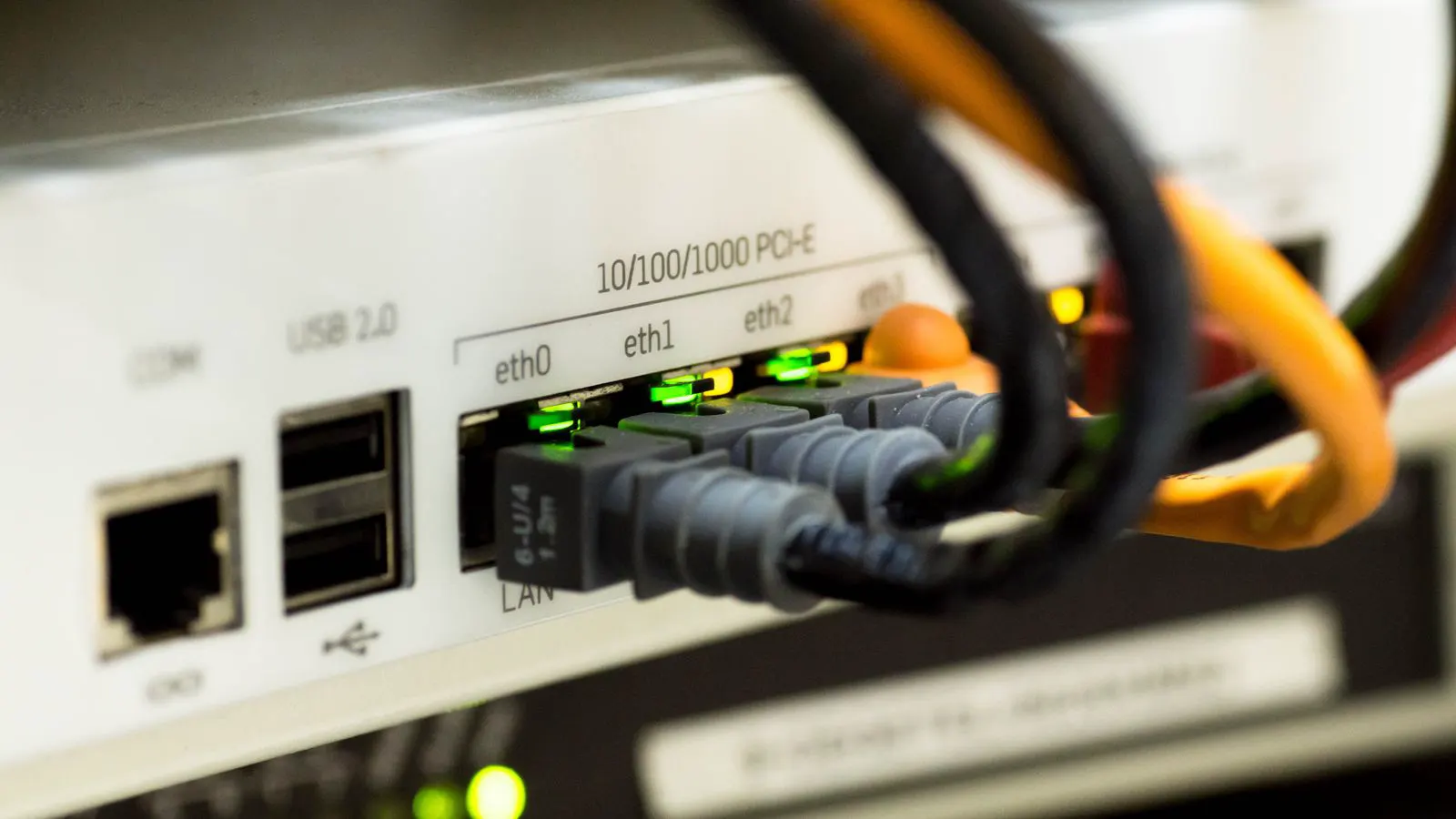
NVRs live on the network. They communicate with cameras over Ethernet. This creates flexibility. A single NVR can connect to cameras across multiple floors or buildings if the network supports it. The recorder sees the camera as a network device. You can configure streams, view live feeds, and manage recordings from any client on the LAN.
DVRs are self-contained. They connect directly to cameras via BNC connectors. The recording happens inside the DVR chassis. To view footage, you typically connect a monitor to the DVR output or use a remote viewing app that connects through a router.
This difference changes your site layout. An NVR setup requires a structured cabling plan. Every camera needs a switch port. Power over Ethernet (PoE) switches can supply both power and data to cameras. This reduces wiring runs. A DVR setup uses coaxial cable from each camera to the DVR. Each camera also needs a separate power connection unless you use a powered distribution point.
For small sites with one or two cameras, a DVR is straightforward. For multi-building or multi-floor sites, an NVR scales better. The network already exists for other IT services. Adding cameras to the LAN is often simpler than running coaxial cable to a central DVR rack.
Storage architecture and access
NVRs use network-attached storage. The hard drives are inside the NVR chassis, but the data path is networked. You can access recordings from a desktop, laptop, or mobile device. This is useful for remote monitoring and incident review.
DVRs use local storage. The hard drives are inside the DVR. Access is limited to the DVR’s built-in display or a remote viewing application. Most DVRs do not allow direct file access from a computer. You export clips by connecting a USB drive or using a proprietary software client.
This affects how you manage footage. With an NVR, you can set up automated backups to a network-attached storage device or a cloud storage bucket. You can create user accounts with different permission levels. You can apply retention policies per camera.
With a DVR, backup is manual. You must plug in a USB drive and copy files. You cannot easily apply different retention periods to different cameras. User permissions are often limited to a few predefined roles.
For sites that need frequent remote access or detailed access control, an NVR is more practical. For sites with on-site staff who review footage locally, a DVR is sufficient.
Performance and bandwidth considerations
NVRs are bandwidth intensive. Each IP camera stream consumes bandwidth on the network. A high-resolution camera at 25 or 30 frames per second can use several megabits per second. Multiply that by the number of cameras and you have a significant load on the local network.
You must size the network accordingly. A 1Gbps switch is common for small to medium sites. For larger sites with many high-resolution cameras, you may need 10Gbps switches or a dedicated video network segment. The NVR itself must have enough network throughput to receive all streams simultaneously.
DVRs handle bandwidth internally. The analog signal is continuous. The DVR compresses it to a fixed bitrate. There is no network congestion to manage. The limitation is the number of BNC inputs on the DVR.
This is a practical constraint. If you need to add more cameras later, you need a DVR with more inputs or an external video encoder. NVRs scale differently. You add more cameras to the network and expand the NVR’s storage. The network must support the added traffic.
For sites with limited network capacity, a DVR avoids adding load. For sites with a robust IT infrastructure, an NVR fits naturally.
Scalability and future upgrades
NVRs are easier to scale. You can add cameras one at a time as budget allows. You can upgrade camera models without changing the recorder, as long as the new cameras speak the same network protocol. You can add more storage drives to extend retention periods.
DVRs are harder to scale. You are limited by the number of inputs on the unit. If you need more cameras, you need a new DVR with more inputs. You cannot easily mix different camera types on one DVR. You cannot upgrade a low-resolution analog camera to a higher-resolution one without changing the camera and potentially the cable run.
NVRs also support firmware updates. You can update the recorder and cameras remotely. This improves security and adds new features. DVRs often require physical access for firmware updates. The interface is more static.
If you plan to expand the system over two to five years, an NVR is more adaptable. If you need a fixed, one-time installation for a specific number of cameras, a DVR is simpler.
Maintenance and operational workflow
NVR maintenance is software-centric. You monitor disk health via the management interface. You check network connectivity. You review logs for failed logins or dropped streams. You can reboot the NVR remotely. You can restore the system from a backup image.
DVR maintenance is hardware-centric. You check the hard drives by listening for noise or using the built-in diagnostics. You replace failed drives by opening the chassis. You check BNC connectors for loose connections. You cannot reboot the DVR remotely without a specific feature.
For unattended sites, NVRs are more convenient. You can receive alerts for camera offline events. You can verify that the NVR is recording. You can access the system from a remote location.
For staffed sites, DVRs are acceptable. The operator checks the monitor. The operator handles hardware issues. The workflow is simpler but less flexible.
Option comparison
| Option | Best for | Limitations |
|---|---|---|
| NVR | IP cameras, multi-building sites, remote access, networked environments | Requires stable network infrastructure, higher upfront cabling cost, bandwidth management |
| DVR | Analog cameras, small fixed sites, simple local monitoring, limited network capacity | Limited inputs, manual backup, no remote file access, harder to scale |
| Hybrid DVR | Sites with mixed analog and IP cameras, phased upgrades | Complex configuration, limited remote access, vendor-specific features |
| Cloud-based recording | Sites without on-site storage, remote offices, mobile access | Requires high-bandwidth internet, higher long-term costs, dependency on third-party service |
| Edge recording | Remote sites, low-bandwidth connections, critical camera protection | Limited storage capacity, no central management, camera must support edge storage |
When to pick an NVR
Pick an NVR when you are using IP cameras. This is the default for new installations in most commercial and industrial settings. IP cameras offer higher resolution, better night vision, and more features than analog cameras.
Pick an NVR when you need remote access to footage. If security staff are off-site or if you need to review incidents from a different location, an NVR is the practical choice.
Pick an NVR when you are planning to expand. The ability to add cameras and storage over time makes an NVR a better long-term investment.
Pick an NVR when you have a structured network in place. If your site already has Ethernet cabling and switches, adding cameras is a minor change. You do not need to run new coaxial cable.
Pick an NVR when you want integrated access control or analytics. Many NVRs support features like motion detection, person counting, and license plate recognition. These features require network-based processing.
When to pick a DVR
Pick a DVR when you are using analog cameras. If your existing cameras are analog and you do not want to replace them, a DVR is the only option.
Pick a DVR when your site has limited network capacity. If your LAN is congested or if you do not have the budget to upgrade switches, a DVR avoids adding network load.
Pick a DVR when you need a simple, local-only system. If footage is reviewed on-site by a small team, a DVR is sufficient. You do not need remote access or complex user permissions.
Pick a DVR when your site is small and fixed. A single room or a small office with one or two cameras does not need the complexity of an NVR. A DVR with a few BNC inputs is easier to install and maintain.
Pick a DVR when you want lower upfront cost. Analog cameras and DVRs are generally less expensive than IP cameras and NVRs. If budget is the primary constraint and resolution requirements are low, a DVR is a practical choice.
Final considerations
The choice between NVR and DVR is not about which is better. It is about which fits your infrastructure.
If you are starting from zero, an NVR is the standard for new installations. IP cameras offer more flexibility and future-proofing. The network requirement is manageable with proper planning.
If you are retrofitting an existing analog system, a DVR is the logical choice. Replacing analog cameras with IP cameras is a larger project. It requires new cabling, new switches, and new hardware. A DVR allows you to keep the existing cameras and add a recording device.
Check your network bandwidth before committing to an NVR. Run a test with a few cameras. Measure the traffic. Ensure your switches and routers can handle the load. If the network is weak, consider an edge-recording solution or a dedicated video network.
Check your storage needs. Calculate the retention period. Determine the bitrate per camera. Multiply by the number of cameras and the number of days you need to keep footage. This gives you the total disk space required. Add a margin for growth.
Check your access requirements. If you need remote access, an NVR is necessary. If you need on-site only, a DVR is sufficient. If you need both, an NVR with a remote viewing app is the best fit.
Match the recorder to the camera, the network, and the operational workflow. That is how you choose the right storage system.
Frequently asked questions
Can I use an NVR with analog cameras?
No. NVRs are designed for IP cameras that send data over Ethernet. Analog cameras use coaxial cable and require a DVR.
Can I upgrade a DVR to an NVR later?
Not directly. You would need to replace the analog cameras with IP cameras and install an NVR. The coaxial cable run cannot be used for IP cameras.
What is the main advantage of an NVR over a DVR?
An NVR supports remote access, network-based management, and easier scaling. A DVR is limited to local access and a fixed number of analog inputs.
Do I need a dedicated network for an NVR?
It is recommended but not strictly required. A dedicated video network segment prevents congestion from other IT traffic. If you share the network, ensure your switches have enough bandwidth.
How do I calculate storage for an NVR?
Determine the bitrate per camera, the number of cameras, and the retention period. Multiply these values to get the total data volume. Add a margin for growth. Select hard drives that match the total capacity.